
Cloud hosting delivers on-demand compute, storage, and networking from shared provider infrastructure. The four service models (IaaS, PaaS, SaaS, FaaS) trade flexibility for management overhead. Deployment options include public, private, hybrid, and multi-cloud setups. Regions, availability zones, and edge locations determine latency and fault tolerance. Pricing traps like egress fees and idle resources inflate bills. Reserved or spot instances reduce costs when usage patterns are predictable. Cloud outperforms VPS and dedicated for variable workloads, but dedicated hardware still wins for fixed high-throughput tasks.
What cloud hosting actually means
Cloud hosting is not VPS hosting with a nicer control panel. It is not renting a dedicated server from a company that slapped the word "cloud" on its marketing page. Real cloud hosting is built on three architectural principles: on-demand self-service, resource pooling, and measured pay-as-you-go billing. These are not vague promises. They are formally defined in the NIST Special Publication 800-145, which remains the authoritative definition since 2011.
On-demand self-service means you can provision a virtual machine, a database cluster, or an object storage bucket without talking to a human. Every major provider exposes this through an API. AWS calls it EC2, Google calls it Compute Engine, Microsoft calls it Azure Virtual Machines. You send a REST call (or click in the console) and the resource exists seconds later. No ticketing system. No provisioning wait. That is the first break from traditional hosting.
Resource pooling means the provider runs a shared infrastructure where your workload lives on the same physical hardware as other customers, but you never see them. The hypervisor enforces isolation. The provider can shift resources between customers as demand fluctuates, as long as no single customer's SLA is violated. This is what makes it possible for a cloud provider to offer 32 vCPUs for an hour and then release them back to the pool. A dedicated server cannot do that.
Measured service means the billing system tracks your usage at a granular level and charges for exactly what you consumed. AWS bills by the second for EC2 instances launched after October 2, 2017. Google and Azure follow similar models. You pay for CPU time, memory allocation, storage volume, network transfer, and API calls. Each metering dimension has a line item in the bill. This is very different from a $200/month VPS where you pay the same whether you use 1% of the CPU or 100%.
Many offerings today call themselves "cloud hosting" but fail one or more of these tests. A hosting plan that charges a flat monthly fee and requires a support ticket to upgrade RAM is not cloud hosting. A provider that locks you into a three-year contract with no API is not cloud hosting. The label means nothing unless the underlying architecture gives you API-driven provisioning, resource pooling, and usage-based billing.
IaaS, PaaS, SaaS, and FaaS: the four service models
Cloud providers sell compute at four abstraction levels. Each model shifts responsibility from you to the provider. Picking the right one means the difference between writing application code all day and patching kernels at 3 AM.
IaaS (Infrastructure as a Service)
IaaS gives you raw compute, network, and storage. You spin up virtual machines with your chosen OS, configure firewalls, install patches, set up load balancers. AWS EC2 (launched 2006), Google Compute Engine (2012), and Azure Virtual Machines are the dominant products. You control the guest OS, middleware, and runtime. The provider handles the hypervisor, physical hardware, and facility power/cooling. IaaS is the right choice when you need full OS access, legacy application compatibility, or custom networking (VLANs, IPsec tunnels). The downside: you pay for idle capacity and must manage OS lifecycles.
PaaS (Platform as a Service)
PaaS removes OS management. You upload code; the provider runs it on a managed runtime. Heroku (2007) popularized this model. AWS Elastic Beanstalk, Google App Engine, and Azure App Service are current examples. The provider handles OS patches, scaling, and load balancing. You configure environment variables, worker counts, and instance classes. PaaS is ideal for standard web frameworks (Rails, Django, Node.js Express) where custom OS tuning provides no advantage. The tradeoff: you lose control over kernel parameters and can't install arbitrary system packages.
SaaS (Software as a Service)
SaaS delivers a finished application over HTTPS. You don't deploy or maintain anything. Salesforce (1999) proved the model works at enterprise scale. Google Workspace, Slack, GitHub, and Dropbox are SaaS. You configure settings, not infrastructure. For a cloud hosting context, SaaS applies when you buy a hosted application directly (email, CRM, project management). Your team operates the tool, not the platform beneath it.
FaaS (Functions as a Service)
FaaS runs a single function on demand. AWS Lambda (2014) started the modern serverless era. You write a function in Node.js, Python, Go, or Java. The provider triggers it on events: an HTTP request, a file upload to S3, a message in a queue. You pay only for compute time during invocation, measured in 1 ms increments. Cold starts add latency for infrequently invoked functions. FaaS works for event-driven tasks, image resizing, API endpoints, and scheduled cron replacements. It fails for long-running stateful processes or anything requiring persistent connections.
Public, private, hybrid, and multi-cloud explained
Not every cloud runs on shared hardware across the internet. The deployment model you choose determines who controls the hardware, where data lives, and how much isolation you get. The four main models are public, private, hybrid, and multi-cloud. They are not mutually exclusive; many organizations run two or more simultaneously.
Public cloud
A public cloud provider (AWS, Google Cloud, Azure, DigitalOcean, Linode) owns the physical infrastructure and serves multiple tenants from shared pools of compute, storage, and networking. Resources are on-demand, billed per second or per hour, and scaled without needing hardware procurement. The trade-off is a shared-tenancy boundary: your VM runs on a hypervisor the provider manages, and isolation depends on the hypervisor and network virtualization. For most workloads the risk is acceptable, but regulated industries sometimes need more.
Private cloud
A private cloud dedicates infrastructure to a single organization. It can run in your own data center or be hosted by a provider (for example, VMware Cloud on Dell, Oracle Cloud at Customer, or a dedicated OpenStack cluster). The key property is single-tenancy: no other customer's workloads share the same physical hosts. You absorb more capital expense and operational overhead, but gain full control over hardware, compliance boundaries, and network topology. Private cloud does not automatically mean on-premises; it means the hardware is yours alone.
Hybrid cloud
Hybrid cloud connects a private cloud to a public cloud, typically over a VPN or dedicated direct connection (AWS Direct Connect, Azure ExpressRoute, Google Cloud Interconnect). Workloads can burst from the private to the public cloud during demand spikes. Data can replicate between both environments. The difficulty is networking: you need consistent IP addressing, routing policies, and often a unified identity provider (Active Directory or SAML federation). AWS Outposts and Azure Stack Hub are managed appliances that extend public cloud APIs into private data centers, blurring the line.
Multi-cloud
Multi-cloud means deliberately using two or more public cloud providers, not for failover but to avoid lock-in, take advantage of each provider's unique services, or comply with regional data laws. For example, you might run Kubernetes on AWS but use Cloud Run for a serverless pipeline on GCP. Multi-cloud is harder than it sounds: network egress fees between clouds are expensive, monitoring requires separate dashboards, and IAM models differ. Tools like Terraform and Crossplane help by abstracting provider APIs, but you still pay the cross-cloud transfer tax.
Regions, availability zones, and edge locations
Cloud providers do not run their entire infrastructure from a single datacenter. They distribute it across geographic areas and fault-isolated facilities. Understanding the difference between a region, an availability zone, and an edge location is essential for making intelligent decisions about latency, redundancy, and data residency.
Regions
A region is a geographic area that contains two or more availability zones. AWS, as of early 2025, runs 33 regions (with six more announced). Google Cloud operates 40 regions. Azure lists 60+ regions. Each region is entirely independent; its control plane and data planes do not share infrastructure with other regions. This independence has a real consequence: a failure in one region will not cascade to another.
Regions are named for their location: us-east-1 (AWS Northern Virginia), europe-west4 (Google Netherlands), brazilsouth (Azure Sao Paulo State). When you provision a virtual machine or a database, you pick a region. The provider then places your resource inside that region, typically giving you low latency to end users in the same geography.
You choose a region based on three things: proximity to your users, compliance requirements (data must stay in the EU, for example), and the specific services available in that region. Not every service runs in every region. Newer instance types, GPU instances, or specialized databases often appear first in large regions like us-east-1 or eu-west-1.
Availability zones
Within each region, availability zones (AZs) are physically separate datacenters with independent power, cooling, and network. Two AZs in the same region might be a few miles apart, connected by redundant low-latency fiber. The key property is that a single event (a transformer fire, a cooling failure, a fiber cut) should affect only one AZ at a time.
Every cloud provider recommends that you run your application in at least two AZs. This gives you high availability without the latency penalty of cross-region traffic. For example, a web server in us-east-1a can talk to a database in us-east-1b over a private network with single-digit millisecond latency.
The zone identifiers are region-scoped. AWS and Azure use letters (us-east-1a), while GCP uses zone names like us-central1-a. The mapping from these names to physical buildings is randomized per account. Your us-east-1a is not the same physical building as my us-east-1a. This prevents a single tenant from overloading one datacenter and also sandbags your reliance on a specific zone label.
Edge locations
Edge locations are not regions and do not run general-purpose compute or storage. They are caching points for content delivery networks (CDNs) and endpoints for DNS resolution or DDoS mitigation. AWS calls them Points of Presence (PoPs); Cloudflare, Fastly, and Akamai have their own edge networks consisting of hundreds or thousands of these nodes.
When a user in Prague requests a static asset from your site hosted in eu-west-1 (Ireland), the request hits an edge location near Prague first. If the asset is already cached there, the user gets it in under 10 milliseconds instead of the 40-plus milliseconds it would take to reach Ireland and back. Services like AWS CloudFront, Cloudflare Workers, and Lambda@Edge let you run lightweight code at the edge, modifying responses or authenticating requests without hitting your origin server.
Edge locations are cheap and plentiful. Their purpose is not durability or compute; it is speed.
Compute options: VMs, containers, serverless functions
Cloud providers offer three primary compute abstractions: virtual machines (VMs), containers, and serverless functions. Each sits at a different point on the control versus convenience spectrum. None is universally best. The choice depends on workload characteristics, team skill, and operational budget.
Virtual machines (IaaS compute)
A VM is an emulated computer running a full guest operating system on top of a hypervisor. AWS calls them EC2 instances, Google calls them Compute Engine VMs, Azure calls them Virtual Machines. You pick a predefined shape (vCPU count, memory, local disk) or build a custom one. You manage the OS, patches, and all software. This is the most flexible option because you can run anything: legacy Windows apps, custom kernels, database clusters that require direct disk access.
The cost is predictable when you use reserved instances. AWS offers standard 1-year and 3-year RIs with up to 72% discount vs. on-demand. Spot instances (up to 90% off) work for fault-tolerant batch jobs and stateless webservers. The main tradeoff is operational overhead. Each VM needs OS updates, security hardening, and monitoring.
Containers (PaaS compute)
Containers share the host OS kernel but isolate the application and its dependencies in a lightweight runtime. Docker popularized the model. Kubernetes (K8s) orchestrates container fleets, and every major cloud sells managed Kubernetes: Amazon EKS, Google GKE, Azure AKS. You can also use simpler services like AWS Fargate or Google Cloud Run that run containers without managing nodes at all.
Containers boot in seconds (VMs take minutes). They enforce dependency consistency across dev, test, and prod. Microservice architectures benefit most: each service lives in its own container, scales independently. The downside is cluster management complexity. Even managed Kubernetes requires understanding Pods, Services, Ingress, ConfigMaps, and network policies. The learning curve is real.
Serverless functions (FaaS compute)
AWS Lambda (2014), Google Cloud Functions, and Azure Functions let you deploy a single function to run in response to an event. You upload code, define a trigger (HTTP request, S3 upload, Pub/Sub message, database change), and the cloud runs it automatically. Billing is per invocation and duration, rounded to the nearest millisecond. No servers to manage. No idle cost.
The practical limit today is a 15-minute timeout (Lambda, Cloud Functions) and memory up to 10 GB (Lambda). Cold starts add 100-500 ms latency. Serverless works great for webhooks, data transformations, scheduled tasks, and low-traffic APIs. It fails for long-running processes, WebSocket-heavy apps, or workloads with predictable high traffic where a reserved VM would cost less.
Object, block, and file storage compared
Cloud providers offer three fundamental storage types. Choosing the wrong one costs you in performance, complexity, or monthly bills. Here is how they work and when to pick each.
Object storage (S3, GCS, Blob)
Object storage treats data as discrete units (objects) stored in a flat namespace (a bucket). Each object holds the data itself, metadata, and a unique identifier. You access it over HTTP/HTTPS through REST APIs. Amazon S3 (released March 2006), Google Cloud Storage, and Azure Blob Storage are the canonical examples.
Objects are immutable once written. To change a byte, you rewrite the whole object. This makes object storage ideal for write-once read-many workloads: backups, logs, media files, static website assets, and data lakes. It scales to exabytes. Latency is in the tens to hundreds of milliseconds, too slow for a database.
Key facts: S3 objects max at 5 TB per object. You pay for storage plus API request costs (PUT, GET, LIST). Egress (data leaving the bucket) is expensive. S3 Standard costs about $0.023/GB/month.
Block storage (EBS, persistent disks)
Block storage presents raw, formatted volumes to a single virtual machine. The operating system sees a block device (like /dev/xvda) and mounts a filesystem on it. Amazon EBS (launched August 2008), Google Persistent Disk, and Azure Managed Disks are the standard.
Block storage is low latency (sub-millisecond) and supports random reads and writes. This makes it mandatory for databases (MySQL, PostgreSQL, MongoDB), application state, and any workload that needs a filesystem. Volumes range from 1 GB to 64 TB. You can snapshot them to S3 for backup.
The catch: block storage is bound to a single VM in a single availability zone. To move it, you snapshot and restore. Provisioned IOPS SSDs cost around $0.125/GB/month plus IOPS charges. General purpose SSDs are cheaper at $0.08/GB/month.
File storage (EFS, Filestore, Azure Files)
File storage provides a shared filesystem mounted by multiple VMs (or on-premises servers) over NFS or SMB. Amazon EFS (NFSv4, launched 2016), Google Filestore, and Azure Files (SMB/NFS) are the offerings.
Use file storage when you need concurrent access to the same data from many instances: web server document roots, content management systems, application logs, and user home directories. Latency is higher than local block storage but acceptable for most file workloads. EFS scales automatically from kilobytes to petabytes without provisioning.
EFS Standard costs $0.30/GB/month. One Zone class (same reliability as EBS) drops to $0.16/GB/month. Throughput costs extra.
How to choose
Start with the access pattern. One client that needs fast random I/O? Use block storage. Many clients that need shared read/write access to the same files? Use file storage. Unstructured data served via HTTP or stored for archive? Use object storage. Hybrid setups are common: an application runs off block storage, writes logs to a file share, and archives old data to an S3 bucket.
Never use object storage as a database primary store. Never use block storage for multi-instance shared access (it does not support it without a cluster filesystem). Never use file storage for high-throughput sequential access; object storage is cheaper there.
The egress trap: how cloud bills run out of control
Moving workloads to the cloud often saves on upfront hardware costs, but the variable cost of moving data out of the provider's network can surprise teams that did not plan for it. Outbound data transfer (egress) is the expense that silently inflates monthly bills, sometimes by factors of 3x or more over compute and storage alone. AWS charges $0.09 per GB for the first 10 TB of internet egress from EC2 (as of 2025). Azure and GCP have similar rates, typically $0.08 to $0.12 per GB. Netflix reportedly paid Amazon over $100 million per quarter in egress fees during its peak cloud years, a figure that motivated its eventual shift to its own CDN.
The trap is easy to fall into because inbound data (ingress) is almost always free, and most services within a region communicate over a private network at no additional cost. The bill spikes when data leaves the region or reaches the internet. Common scenarios that trigger heavy egress: serving large media files from object storage without a CDN, exposing an API that returns image or video payloads directly from cloud storage URLs, and bulk data export jobs that move terabytes to on-premises systems for backup or analysis.
Why egress pricing is not competitive
Cloud providers charge egress because they control the physical network edges and see it as a profit center. The actual cost of transit for a hyperscaler is under $0.01 per GB (they negotiate wholesale peering rates around $0.001/GB). The 8x to 10x markup funds the provider's backbone upgrades and, more cynically, encourages customers to keep data inside the provider's ecosystem. Once you have 100 TB of data in S3, moving it to another cloud costs thousands of dollars in egress alone, a lock-in mechanism known as the egress tax.
How to avoid the trap
First, use a CDN to absorb egress closer to end users. CloudFront, Cloudflare, or Fastly cache content at edge locations and reduce direct origin fetches. AWS CloudFront charges as low as $0.02 per GB for data transfer to the internet, less than a quarter of EC2 direct egress. Second, co-locate your compute and storage in the same region and availability zone to keep internal traffic free. Cross-zone traffic costs $0.01 per GB even within a region, so spread workloads only when necessary. Third, negotiate committed use discounts or private pricing if your monthly egress exceeds 50 TB. Most cloud providers offer custom rates beyond the public list, but you have to ask. Fourth, for data export tasks, use a third-party transfer appliance or direct peering instead of sending traffic over the public internet. Services like AWS Direct Connect or Azure ExpressRoute reduce per-GB egress costs to around $0.03 per GB and improve throughput stability.
Finally, monitor egress with budget alerts set at 80% of your predicted outbound volume. Tools like AWS Cost Explorer and GCP Billing export can label egress costs by service and destination. An alert triggered at $500 can prevent a $5,000 surprise at month end.
Reserved instances and spot instances: when to use which
Reserved instances (RIs) and spot instances are two pricing models offered by major providers like AWS EC2, Azure VMs, and Google Compute Engine. They sit between on-demand pricing and provide significant discounts in exchange for commitment or flexibility. Choosing the right model depends on your workload predictability, tolerance for interruption, and financial goals.
Reserved instances
RIs let you commit to a specific instance configuration for a term of one or three years. In return, you get a discount of 40% to 70% compared to on-demand rates. AWS, for example, offers Standard and Convertible RIs. Standard RIs provide a lower discount but allow you to modify attributes like instance size within the same family. Convertible RIs give a smaller discount but let you change instance families, OS, or tenancy during the term.
RIs are best for steady state workloads: database servers, web servers with predictable traffic, or any service that runs 24/7. They also help with capacity reservation in specific AZs, which is useful for disaster recovery or compliance. However, RIs lock you in. If your workload changes, you may end up paying for unused capacity unless you sell unused RIs on the AWS Reserved Instance Marketplace.
Spot instances
Spot instances offer spare compute capacity at discounts of 60% to 90% off on demand. The catch: the cloud provider can reclaim the instance with as little as a two minute warning (via a termination notice). Pricing fluctuates based on supply and demand, and you can set a maximum price you are willing to pay. If the spot price exceeds your bid, your instance is terminated.
Spot instances are ideal for fault tolerant, stateless, or batch workloads: data analysis, CI/CD build agents, image processing, rendering, or large scale simulations. You can also use spot instances in auto scaling groups alongside on demand or RIs to reduce costs while maintaining availability. Some providers, like AWS, offer spot blocks to guarantee capacity for a fixed duration (1 to 6 hours) for certain instance types.
How to decide
Start by analyzing your usage patterns. Use the Cost Explorer (AWS) or Azure Cost Management to see baseline utilization. If a workload runs more than 25% of the month, an RI likely pays off. For spiky or interruptible jobs, spot instances are the better fit. Many teams combine both: for a web application, use RIs for the minimum required capacity and spot instances for burst traffic. This hybrid approach balances cost and reliability.
Avoid using spot instances for stateful databases, long running transactions, or any workload that cannot tolerate sudden termination. Some services, like Amazon EMR or Google Dataproc, can automatically use spot instances for task nodes while keeping master nodes on demand.
Cloud vs VPS vs dedicated: when each makes sense
The choice between cloud hosting, VPS, and dedicated servers isn't binary. Each model solves a different set of constraints: budget, performance, scalability, and operational complexity. Understanding where the breakpoints lie helps you avoid overpaying or underprovisioning.
When a VPS is the right fit
A Virtual Private Server (VPS) divides a physical machine into isolated virtual environments via a hypervisor such as KVM or Xen. You get guaranteed CPU and RAM slices, usually at a fixed monthly price. VPS works well for low to moderate traffic applications, development and staging environments, or small business websites. Price points typically start around $5 to $10 per month (e.g., DigitalOcean Basic Droplets, Linode 2GB plans). The tradeoff is limited vertical scaling: you can upgrade to a larger plan, but when you exceed the host node's capacity, you need to migrate to a dedicated or cloud setup.
When dedicated hardware is the answer
A dedicated server gives you the entire physical machine. No noisy neighbors, no oversubscription risks. This is ideal for applications that require consistent peak performance: high-traffic databases, video transcoding, large-scale game servers, or any workload where milliseconds matter. Dedicated servers also offer custom hardware configurations (e.g., NVMe SSDs, multiple GPUs) that cloud instances may not provide. Monthly costs range from about $80 (entry-level Intel Xeon) to several hundred dollars. The catch: you pay for idle capacity. If your traffic spikes are rare, you are paying for unused resources.
Where cloud hosting wins
Cloud hosting, as defined by NIST 800-145, provides on-demand self-service, broad network access, resource pooling, rapid elasticity, and measured service. It makes sense when your workload is unpredictable, seasonal, or growing. For example, a SaaS application handling 10 users in January and 10,000 in July needs cloud autoscaling groups and load balancers. Cloud also suits microservices architectures where you deploy separate containers or serverless functions for each component. The downside is variable billing: a single misconfigured auto-scaling policy or a data transfer spike from an API leak can inflate your invoice by thousands of dollars.
In practice, many organizations use a hybrid approach. A dedicated server handles baseline traffic; cloud instances absorb bursts. Or a VPS runs internal tools while cloud handles customer-facing APIs. The decision hinges on three questions: How predictable is your load? How fast do you need to scale? How much operational overhead can you absorb?
Cloud-native architecture patterns that actually pay off
Many teams adopt cloud infrastructure but keep designing applications as if they were running on a single server. That approach wastes money and misses the main advantage of cloud: elasticity. The patterns below are proven to reduce cost, improve reliability, and scale without constant firefighting. They are not theoretical. They come from production systems running at companies like Netflix, Slack, and Shopify.
Stateless services with external state storage
This is the single highest-impact pattern. If your application server holds session data or file caches locally, you cannot scale horizontally without sticky sessions or shared filesystems. Both are fragile and expensive. Instead, push all session state into a managed service like Redis (ElastiCache, Memorystore) or a database. The application instance becomes disposable. You can scale from 1 to 100 instances without reconfiguring a load balancer. AWS Elastic Beanstalk and Google App Engine enforce this pattern by default. If you need to retrofit an existing app, start by moving sessions out of local memory into Redis. The cost of a small Redis cluster is quickly offset by reduced instance count during low traffic.
Circuit breakers and bulkheads
In a distributed system, one slow service can cascade into a full outage. The circuit breaker pattern, popularized by Netflix's Hystrix (and now implemented in resilience4j, Polly, and Istio), monitors failure rates. When a downstream service fails more than a threshold (say 50% of requests in 10 seconds), the circuit opens. Subsequent calls fail fast without waiting for a timeout. This prevents thread pool exhaustion and lets the failing service recover. Bulkheads partition resources: each service gets its own connection pool or thread pool. If the payment service hangs, it cannot starve the product catalog. AWS Lambda's concurrency limits and Kubernetes resource quotas are practical implementations of bulkheads.
Event-driven decoupling with queues
Direct synchronous calls between services create tight coupling. If the order service calls the inventory service directly, a slow inventory response blocks the order. Replace that with a message queue (SQS, RabbitMQ, Google Pub/Sub). The order service publishes an "order placed" event. The inventory service consumes it when it can. This pattern lets each service scale independently. It also provides a buffer during traffic spikes. Queues can hold millions of messages. Your services process them at their own pace. The cost is minimal: SQS charges $0.40 per million requests. The reliability gain is enormous.
Idempotent retry with exponential backoff
Cloud networks are not perfectly reliable. Transient failures happen. Every operation that mutates state must be idempotent: calling it twice produces the same result as calling it once. Use a unique idempotency key (a UUID) on write requests. The server checks if it has already processed that key. If yes, it returns the stored result. Combine this with exponential backoff: wait 1 second, then 2, then 4, then 8, up to a maximum. AWS SDKs implement this automatically for API calls. Without idempotency, a retry can double-charge a customer or create duplicate orders.
Blue-green deployments and canary releases
Rolling updates are risky. A bad deploy can silently corrupt data for minutes before you notice. Blue-green deployment runs two identical environments. You deploy the new version (green) alongside the old (blue). Once green passes health checks, you switch the load balancer. If something breaks, you switch back. Canary releases send a small percentage of traffic (say 5%) to the new version. Monitor error rates for 10 minutes. If errors stay below 0.1%, increase traffic to 25%, then 100%. AWS CodeDeploy, Google Cloud Deploy, and Spinnaker support this natively. The cost is one extra environment during deploys, which is negligible compared to the cost of a full outage.
Auto-scaling based on custom metrics
CPU and memory are poor scaling triggers for most web applications. A request that waits on a database query uses almost no CPU. Scale on request queue depth or requests per second instead. On AWS, you can publish custom metrics to CloudWatch and create scaling policies based on them. On Kubernetes, the Horizontal Pod Autoscaler can use custom metrics from Prometheus. Set a target of, for example, 100 requests per second per instance. When the average exceeds that, add instances. When it drops below 50 for 5 minutes, remove instances. This pattern keeps response times consistent and avoids paying for idle capacity.
What is the difference between cloud hosting and traditional hosting?
Cloud hosting runs on virtualized resources pooled across many servers, managed by an API or control panel. Traditional hosting (shared, VPS, dedicated) uses a single server or a fixed partition. Cloud scales on demand, bills per usage, and survives hardware failures by migrating workloads. Traditional hosting has fixed resources and usually a flat monthly fee but gives predictable performance.
Which cloud service model should I start with for a web application?
Start with PaaS (e.g., AWS Elastic Beanstalk, Google App Engine, Heroku) if you want to deploy code without managing servers. Use IaaS (e.g., EC2, Compute Engine) if you need full OS control, specific software versions, or custom network configurations. FaaS (e.g., AWS Lambda, Cloud Functions) works best for event-driven tasks, not long-running HTTP servers.
What is the egress trap, and how do I avoid it?
Cloud providers charge for data leaving their network (egress), often $0.05 to $0.12 per GB. This can dominate bills for apps that serve large files or backup jobs. Avoid it by using a CDN (which caches egress-free), picking a provider with lower egress rates, or moving data between clouds over direct interconnects. Some providers like Cloudflare offer zero egress fees for certain services.
When should I use reserved instances versus spot instances?
Use reserved instances (1 or 3 year terms) for baseline, always-on workloads like web servers, databases, or load balancers. They reduce cost by 30-72% vs on-demand. Use spot instances for batch processing, rendering, or CI/CD build jobs that can handle interruptions. Spot instances cost 60-90% less but can be reclaimed with 2 minutes notice. Never put stateful or latency-critical apps on spot.
Is cloud hosting always cheaper than a dedicated server?
No. Cloud is cheaper for variable or growing workloads because you pay only for what you use. For a fixed, high-throughput workload (e.g., a database server running at 80% CPU 24/7), a dedicated server at $100-300/month usually costs less than equivalent cloud compute plus attached storage and egress. Always estimate total cost including data transfer, storage IOPS, and management overhead.
What are cloud-native architecture patterns?
Cloud-native patterns use microservices, containers, orchestration, and stateless design to exploit cloud elasticity. Load balancers distribute traffic to auto-scaling groups. State is pushed to managed databases or object storage. Loose coupling via queues (e.g., SQS, Pub/Sub) allows independent scaling. These patterns reduce idle resource waste and allow rolling updates. They require more initial design effort than a monolithic app but lower ongoing cost at scale.
Browse providers

Domain Names: A Complete Guide
How domains work, what gTLD vs ccTLD really means, and how to pick and protect one
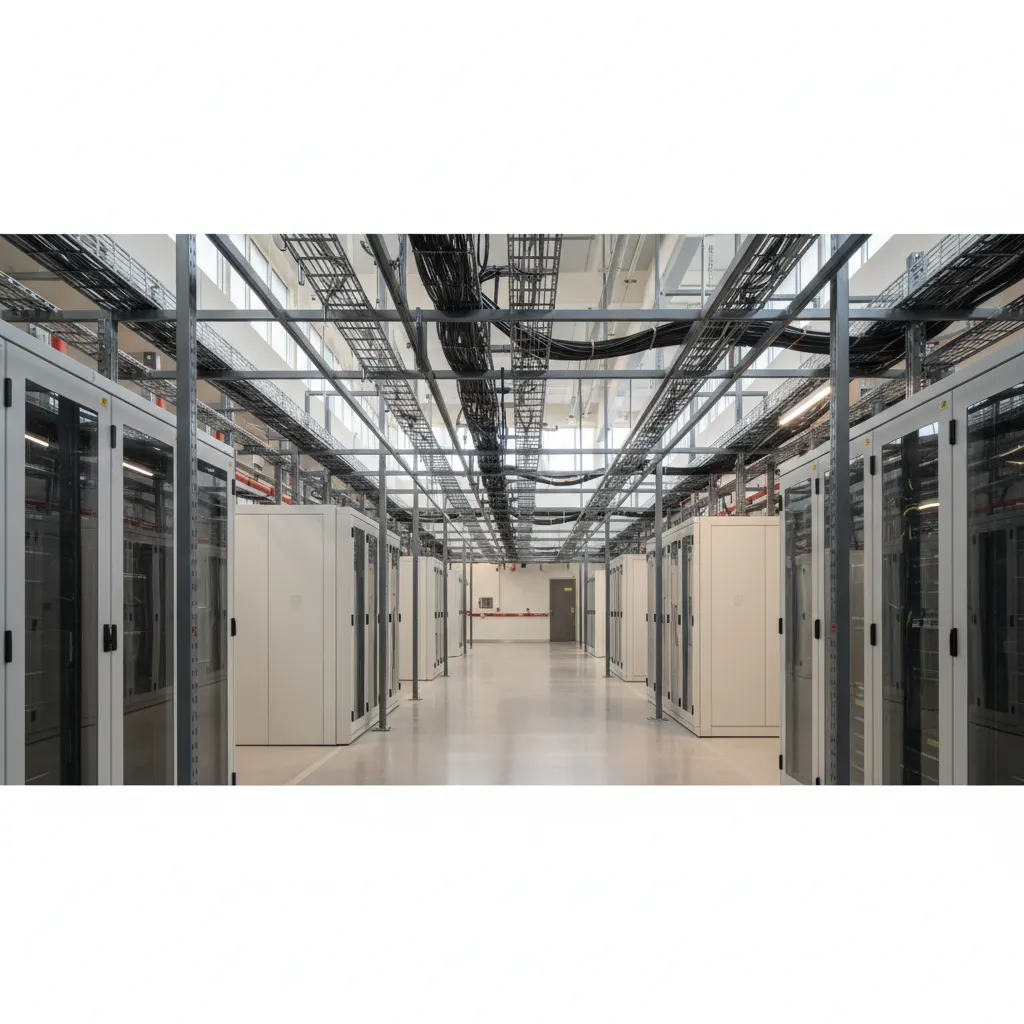
Data Centers: A Complete Guide
Tiers, PUE, hyperscale vs colocation, and what you're really paying for

Kubernetes for sysadmins: when it is worth it, and when it is not
An honest reference for engineers who run servers today, written from outside the Kubernetes evangelism circle. What K8s actually buys you, what it does not, and the alternatives that deserve consideration first.

Production backup strategy for Linux servers
The 3-2-1 rule, restic vs borg vs rsync, encryption, retention, and the restore drill nobody runs.