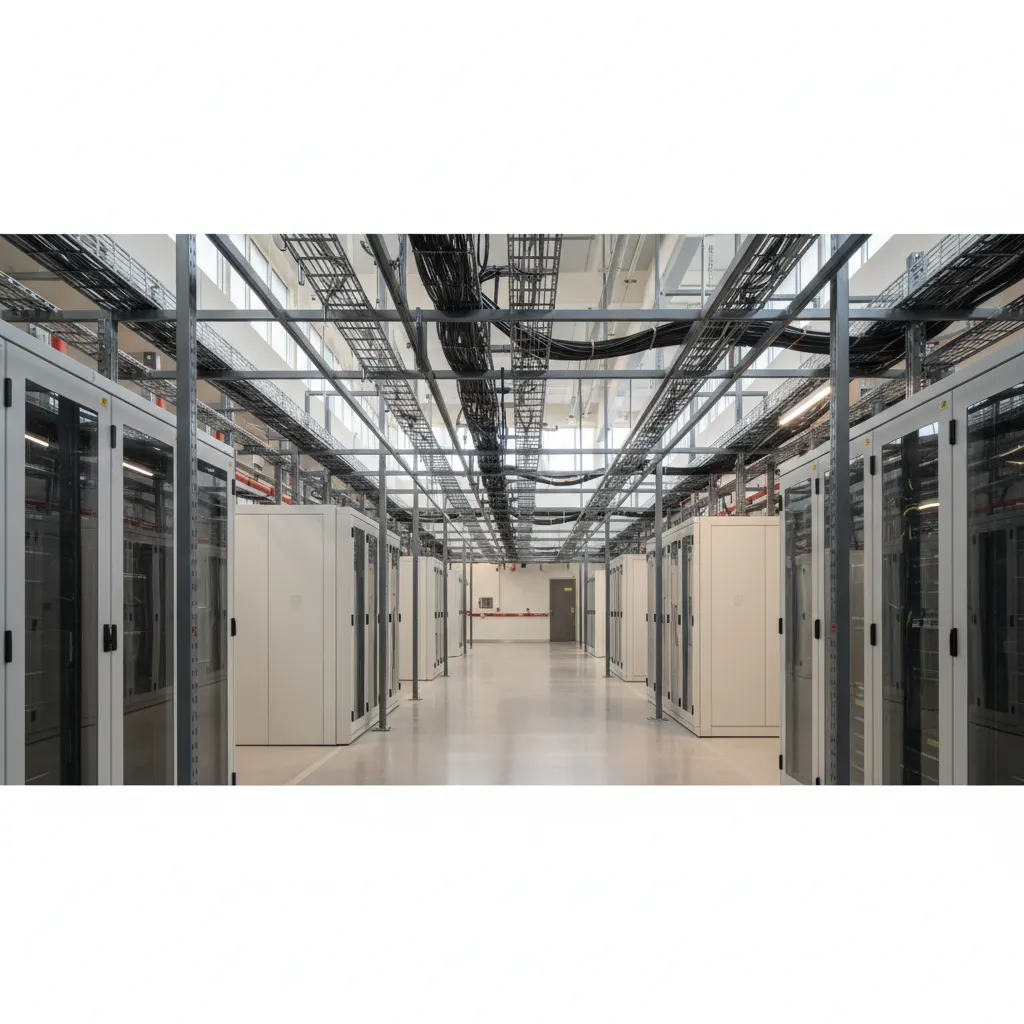
A data center is a physical facility that houses compute, storage, and networking equipment. This guide covers Uptime Institute Tiers I through IV (redundancy and fault tolerance levels), PUE (Power Usage Effectiveness) and WUE (Water Usage Effectiveness), hyperscale vs colocation vs edge facilities, rack-level hardware (RUs, PDUs, cabling), power and cooling costs per megawatt, carrier-neutral designs with meet-me rooms and cross connects, how Internet Exchange Points reduce transit costs, colocation selection criteria (power density, space, connectivity, location), and the AI shift toward liquid cooling in hyperscale AI factories.
What a data center actually is
Strip away the hype and a data center is a purpose-built facility that houses computing hardware. Its sole reason for existing is to keep servers, storage, and networking equipment running at a predictable level of reliability. That sounds simple enough. But a real data center is a carefully engineered system of concrete, copper, fiber, chillers, generators, and access controls. It is not a server closet in an office break room. It is not a single rack in a shared warehouse with a window AC unit.
The term itself has no formal legal definition. In practice, the industry recognizes a data center as a building or a dedicated room that provides five critical layers: power, cooling, physical security, network connectivity, and structured cabling. All five must be designed to handle failure in at least one component without dropping production traffic.
The minimum viable definition
Let us be precise. A functional data center must have:
- Redundant power feeds from the utility substation, backed by uninterruptible power supplies (UPS) and an on-site generator with enough fuel for at least 24 hours at full load.
- Cooling systems that maintain the inlet air temperature between 18 and 27 degrees Celsius, per ASHRAE TC 9.9 guidelines. This typically means computer room air handlers (CRAHs) or direct-expansion units with N+1 redundancy.
- Physical barriers preventing unauthorized access. Multi-factor authentication at every door. Mantraps at the entrance. Video recording with 30-day retention.
- At least two independent fiber entrance pathways from different carriers or from different central offices.
- Labeled, overhead or underfloor cable trays that separate power from copper and fiber at a minimum distance of 12 inches to reduce electromagnetic interference.
What is not a data center
A rack of servers in a drywalled office with a portable air conditioner is not a data center. It is an equipment closet. The difference is survivability. A true data center can keep operating through a utility power failure, a chiller breakdown, or a fiber cut on one street corner. The closet cannot. The industry standard for this distinction is the Uptime Institute Tier classification, but Tier I is still miles above an unmodified office room.
The economic identity
At the facility level, a data center is a real estate asset. Its value depends on usable square feet and critical IT load in kilowatts. Leases are priced per kilowatt of committed power, not per square foot. The physical building is a shell. The expensive part is the electrical and mechanical infrastructure. A 2018 study by AFCOM showed that the mechanical and electrical systems account for roughly 70 percent of construction costs for a Tier III facility. The rest is building structure, land, and labor.
Do not let the abstraction fool you. At its core, every data center is a concrete box that solves three hard problems: where to put the heat, how to keep the lights on, and who is allowed inside. If it does not solve all three, it does not qualify.
Uptime Institute tiers I through IV explained
Not all data centers are built to the same standard of availability. In the 1990s, the Uptime Institute created a tier classification system that grades facility design based on expected uptime and redundancy. The four tiers are defined by the 2018 revision of the standard (Tier Standard: Topology). Understanding them is essential when buying colocation or evaluating a build, because the tier drives both cost and risk.
There is no official Tier V; many vendors claim it, but the Institute stops at IV.
Tier I: basic capacity
A Tier I facility has no redundant power or cooling paths. It has a single feed for utility power, a single UPS, and a single cooling plant. Planned maintenance requires a full shutdown. Annual expected uptime is 99.671 percent, which translates to roughly 28.8 hours of downtime per year. These facilities are cheap to build but unsuitable for anything beyond lab environments or less critical storage.Tier II: redundant components
Tier II adds N+1 redundancy on critical components: one extra UPS module, one extra generator, one extra chiller. However, the distribution path remains single. You can take one generator offline for maintenance without dropping the load, but you cannot repair a switchboard or an ATS without an outage. Expected uptime is 99.741 percent (about 22 hours downtime per year). This is common in many mid-market colocation centers that do not promise high availability SLAs.Tier III: concurrently maintainable
This is the most common specification for serious colocation. Tier III requires N+1 redundancy and two independent distribution paths (typically A and B feeds to each rack). Any single piece of upstream gear can be taken out for service or replacement without taking the load off. The facility must also provide enough cooling capacity to maintain the load if one chiller or pump is off. Expected uptime is 99.982 percent (about 1.6 hours of downtime per year). Tier III sites are relatively expensive to build (roughly 20 to 30 percent more than Tier II) but are the baseline for enterprise production workloads.Tier IV: fault tolerant
Tier IV adds fault tolerance: two independent, physically separated distribution paths, each with N+1 redundancy, and the ability to survive any single equipment failure or path outage automatically. This requires 2N redundancy for critical gear (two full UPS systems, two generators, two cooling plants). In practice, Tier IV also demands an 8 or 12 hour run time for fuel storage to survive a sustained utility outage. Expected uptime is 99.995 percent (about 26 minutes per year). Tier IV is rare outside of large financial firms, hyperscaler pods, or government facilities. The capital cost can double Tier III.A common mistake is to confuse tier certification of the design with the actual operational history. The Institute labels a facility's topology design; actual uptime depends on operations, staff training, and maintenance. Many Tier III facilities deliver better track records than some poorly run Tier IV sites.
PUE and water usage: the efficiency metrics that matter
Power Usage Effectiveness (PUE) is the most widely accepted metric for data center energy efficiency. Developed by The Green Grid in 2007, PUE is the ratio of total facility energy to IT equipment energy. A PUE of 1.0 means every watt entering the facility reaches the IT load. Real world numbers range from 1.1 (state of the art hyperscale) to 2.0 or higher in older, poorly managed facilities. The U.S. Department of Energy reported an average PUE of 1.55 across surveyed enterprise data centers in 2020. Google, Meta, and Microsoft consistently publish quarterly PUE figures around 1.10 to 1.12 for their largest campuses.
PUE is useful for benchmarking, but it has a blind spot: it ignores both water consumption and the source of the energy. A facility with evaporative cooling can have an excellent PUE while gulping millions of gallons of water per day. This is where Water Usage Effectiveness (WUE) comes in, also defined by The Green Grid. WUE is annual water consumption divided by IT equipment energy, expressed in liters per kilowatt-hour (L/kWh). Direct evaporative cooling systems can consume 1.5 to 2.0 L/kWh, while chilled water systems with cooling towers run roughly 0.5 to 1.5 L/kWh. Air cooled chillers (dry coolers) use essentially no water but push PUE higher.
PUE: What the number hides
A low PUE can mask high total power demand. A facility with PUE 1.2 and 50 MW of IT load draws 60 MW from the grid. The metric only shows the ratio, not the absolute consumption. More critically, PUE is often calculated using a trailing 12 month average or a single snapshot. The Green Grid recommends the annualized, measurement based approach (Level 3 in their categorization), but many operators report a static design value. Always ask for the trailing 12 month average and the methodology behind it.
WUE and the water cooling trade off
Hyperscale operators increasingly publish both PUE and WUE. Facebook in Prineville, Oregon uses direct evaporative cooling with a WUE around 0.55 L/kWh. That facility also reuses water in a closed loop. By contrast, a conventional data center in a hot, dry climate like Phoenix might exceed 3.0 L/kWh. ASHRAE Standard 90.4 provides an alternative metric: Energy Reuse Effectiveness (ERE) and Water Reuse Effectiveness (WRE), but adoption is slow.
Regulators in water stressed regions now require WUE disclosures. Santa Clara, California ties new data center building permits to a maximum WUE of 0.5 L/kWh. The European Commission's Climate Neutral Data Centre Pact requires signatories to report both PUE and WUE by 2025.
Carbon and the bigger picture
A single facility can have excellent PUE (1.15) and WUE (0.2 L/kWh) while buying renewable energy credits, but still draw power from a coal heavy grid during peak hours. Carbon Usage Effectiveness (CUE), also from The Green Grid, measures kg CO2e per kWh of IT energy. Google and Microsoft now report CUE alongside PUE and WUE. The Uptime Institute's 2023 survey found that only 47% of data center operators measure carbon emissions at all.
For infrastructure buyers, the takeaway is simple: never accept a PUE claim without asking for the measurement period, methodology, and the supporting WUE or CUE data. A low PUE can be a marketing number if it is based on design specs rather than actual operation.
Hyperscale vs colocation vs edge
Not all data centers are built for the same job. The industry has split into three broad categories: hyperscale, colocation, and edge. Each serves a different workload, budget, and latency requirement. Understanding the differences helps you decide which model fits your infrastructure.
Hyperscale data centers
Hyperscale facilities are owned and operated by the largest cloud providers: Amazon Web Services, Microsoft Azure, Google Cloud, Meta, and a handful of others. These buildings are enormous. A single hyperscale campus can draw 100 megawatts or more. The design is standardized and modular. Racks, power distribution, and cooling are built to a single operator's spec. There is no multi-tenant space. Every square foot belongs to one company.
Hyperscale operators build their own networking hardware, write their own orchestration software, and negotiate directly with utilities for power. They often co-locate with substations or build on-site generation. The economics favor massive scale. A hyperscale facility can achieve a PUE of 1.10 or lower because the operator controls everything from airflow to server placement. These sites handle global workloads: search, video streaming, AI training, and storage for billions of users.
You cannot buy a single rack in a hyperscale data center. You buy compute capacity through the cloud provider's API. The facility is invisible to the customer.
Colocation data centers
Colocation is the opposite of hyperscale. A colo provider builds a multi-tenant facility and rents space by the rack, cage, or suite. You bring your own servers, switches, and storage. The provider supplies power, cooling, physical security, and cross connects. Examples include Equinix, Digital Realty, CyrusOne, and QTS.
Colocation gives you control. You choose your hardware, your operating system, and your network carrier. You can peer at an Internet Exchange Point inside the same building, cutting transit costs. Most colo facilities are carrier-neutral, meaning you can connect to multiple ISPs and cloud on-ramps. The tradeoff is higher operational overhead. You manage the gear, the OS patches, and the hardware lifecycle.
Colocation is the standard choice for enterprises that need predictable latency, regulatory compliance, or direct control over their infrastructure. It also works for hybrid architectures where some workloads stay on premises and others go to the cloud.
Edge data centers
Edge data centers are small, distributed facilities placed close to end users. They might be a single cabinet in a cell tower hut, a prefabricated modular unit in a parking lot, or a 10-rack room in a suburban office building. The defining characteristic is proximity. Edge sites keep latency under 10 milliseconds to the user device.
Edge computing handles workloads that cannot tolerate a round trip to a hyperscale region: autonomous vehicle telemetry, industrial IoT, real-time video analytics, and gaming. Edge sites often run a lightweight stack. They may use a few servers with GPU accelerators and rely on a centralized control plane for orchestration.
Major edge providers include Vapor IO, EdgeConneX, and Lumen. Cloud providers also offer edge services: AWS Outposts, Azure Stack Edge, and Google Distributed Cloud put cloud hardware inside your facility or at a nearby colo.
Each model has a place. Hyperscale wins on cost per compute at global scale. Colocation wins on control and carrier diversity. Edge wins on latency. Many organizations use all three: edge for real-time processing, colo for core workloads, and hyperscale for elastic capacity.
Inside a rack: rack units, PDUs, and cabling
The standard 19-inch rack frame is the mechanical skeleton of nearly every data center. A rack is measured in rack units, abbreviated U. One rack unit equals 1.75 inches of vertical space. A standard full-height rack holds 42U, though 45U and 48U frames are common in colocation facilities. Equipment front panels are designed to fit within 19 inches between the mounting rails, regardless of depth.
Server and switch chassis are sold by U height: 1U, 2U, and 4U are the most common. A 1U server is typically a dual-socket x86 machine with room for 10 to 24 drives. A 2U server can fit more drives, larger heatsinks, or dual GPUs. Storage arrays and blade enclosures often take 4U to 10U. When you order colocation space, you pay per U or per partial rack, half rack, or full rack. Always check the depth rating of the rack. A standard rack is 36 to 48 inches deep, but some GPU servers need a 52-inch depth or a specialized open-frame rack.
Power Distribution Units (PDUs)
A Power Distribution Unit is the component that takes the facility power feed from the overhead busway or floor-mounted whip and splits it into the receptacles your servers need. There are two broad categories: basic PDUs and intelligent PDUs.
Basic PDUs are passive busbars or strip outlets with no metering. They are cheap and reliable but give you no visibility into load per outlet. Intelligent (switched) PDUs offer per-outlet power monitoring, remote on/off control, and environmental sensors. For any deployment above a half rack, you want intelligent PDUs. Standards such as RFC 1628 (UPS MIB) and the Power over Ethernet (PoE) standards from IEEE have indirect relevance, but the key format to know for PDU power inlets is IEC 60320. In North America, PDUs typically use a NEMA 5-20R or L6-30P input with C13 and C19 outlets. A standard server uses a C13 connector; a large PSU on a switch or GPU server uses C19.
Redundancy requires two independent PDUs per rack, each fed from a separate power path (A feed and B feed). Servers with dual power supplies should have one PSU plugged into the A feed and the other into the B feed. This allows maintenance on one PDU path without taking the server down.
Cabling: copper, fiber, and the mess
Cabling is the most managed part of the rack. The standard copper patch cable is Category 6A (Cat 6A) for 10GBASE-T up to 100 meters. Many newer deployments use Direct Attach Copper (DAC) cables for short intra-rack runs of 2 to 5 meters. DAC cables are cheaper and use less power than active SFP+ optics.
Single-mode fiber (SMF) is the long-haul standard for distances over 100 meters, using LC duplex connectors. Multimode fiber (OM4 or OM5) is still common inside the data center for 100GBASE-SR4 links up to 150 meters. The connector type matters: LC is dominant for duplex links; MPO/MTP is used for parallel optics like 40GBASE-SR4 or 100GBASE-SR4.
Cable management is not cosmetic. Horizontal cable managers between servers keep airflow clear and allow you to trace a cable without pulling bundles. Vertical managers on the rack sides contain the spaghetti of patch cables. Use color codes: blue for network, yellow for fiber, orange for cross connects.
A single rack can hold 300 to 500 cable runs. Label every cable at both ends with a machine-printed label that includes the rack, patch panel port, and device port. Tom Limoncelli's The Practice of System and Network Administration has a good chapter on cabling discipline, but the short version is: if you don't label it now, you will spend ten minutes per cable during the next outage.
Power, cooling, and the actual cost of a megawatt
Building enough electrical capacity and then removing the waste heat is the single largest operational expense for any data center. Understanding how power arrives at a facility, how it is converted and distributed, and how that heat is rejected matters more to your bottom line than the sticker price on your servers.
A typical hyperscale data center consumes 30 to 50 megawatts (MW) of critical IT load. Some new campuses are being designed for 200 MW or more. But you cannot just plug a data center into the grid. The facility must pay for utility upgrades, substations, and often dedicated transmission lines. The utility cost for a 20 MW facility can exceed $10 million per year in just electricity at $0.10/kWh. That figure does not include demand charges or power-factor penalties.
Power enters a facility at medium voltage, typically 12 kV to 35 kV, and is stepped down through transformers to 480 V or 208 V for distribution. Uninterruptible power supplies (UPS) and backup generators sit between the utility and the IT load. Most facilities run at 2N redundancy for critical circuits: two independent paths from the utility to the server. A 2 MW facility with 2N architecture needs about 4 MW of total capacity, which doubles the switchgear and generator costs.
Cooling scales poorly with density. A standard air-cooled row using computer room air handlers (CRAHs) can handle roughly 5 to 10 kW per rack. Modern GPU clusters can exceed 40 kW per rack. At that density, air cannot carry the heat away fast enough without massive airflow and fan power. That is where liquid cooling enters the picture.
Direct-to-chip and immersion cooling
Direct-to-chip cooling runs chilled water or a dielectric fluid through cold plates attached directly to the processor package. CoolIT Systems and Asetek are common vendors. This method can handle 1,000 to 1,500 W per CPU socket. Single-phase immersion cooling submerges the entire server in a non-conductive fluid. The server operates at ambient fluid temperature, typically 45 C, which eliminates most fan power and allows the chiller to run at higher temperatures or shut off entirely in temperate climates.
The cost delta is real. A traditional air-cooled data center costs roughly $8 to $12 per watt of IT load to build. A liquid-cooled facility can cost $15 to $20 per watt because of the plumbing, dielectric fluids, and specialized racks. But the operational savings often recoup the premium in two to three years at 30 kW+ rack densities. Google reported in 2021 that its liquid-cooled TPU pods reduced cooling energy by 50% compared with air at the same compute load.
Industry groups like the Green Grid and ASHRAE publish temperature and humidity guidelines (ASHRAE TC 9.9). The most recent standard allows supply air up to 27 C (80.6 F) for class A1 equipment. Every degree you raise the setpoint saves about 4% on chiller energy. Most colocation facilities today operate supply air at 22 C to 25 C, balancing server reliability and power cost.
# Rough PUE breakdown for a 10 MW facility (air-cooled)
Power consumed : 10.0 MW IT load + 2.5 MW overhead (cooling, lights)
PUE : 12.5 / 10.0 = 1.25
Annual electricity : 10 MW * 8760 h = 87,600 MWh
electricity cost : $0.10/kWh * 87,600 MWh = $8.76 million
cooling overhead : 2.5 MW * 8760 h = 21,900 MWh
Cooling cost alone : $2.19 million/year
The real cost of a megawatt is not just the power. It is the land, the substation, the backup generators, the cooling loops, and the operational staff to keep it all running 24/7. If you are buying colocation space, ask for the site PUE for the last twelve months, the utility rate schedule, and whether the facility uses chilled water or direct expansion cooling. If you are building, budget for a primary substation that costs $2 million to $5 million for a 30 MW campus. Those numbers are not optional. They are the floor.
Carrier-neutral facilities, meet-me rooms, and cross connects
In traditional telecom models the phone company owned the building. If you wanted to connect your office to another office you rented a circuit from that telco, and they ran it through their central office. You could not bring in a second provider. The building was a monopoly conduit. Carrier-neutral data centers flipped that model entirely. A carrier-neutral facility is a building where any licensed carrier, ISP, or cloud provider can bring their fiber and colocate their equipment, and you as the tenant can buy services from any of them without penalty or obstruction from the landlord.
The physical anchor for all this interconnection is the meet-me room, or MMR. An MMR is a dedicated, secured space inside the data center where multiple carrier networks physically converge. It typically has rows of fiber termination panels, cable trays overhead, and locked cages or cabinets for each carrier's gear. The MMR is the closest thing the internet has to a physical exchange floor. The key point is that the data center operator does not own the networks in the MMR. The operator provides the space, power, cooling, and cross connect cabling. The carriers compete for your business.
A cross connect is the physical cable that links your colocation cabinet to a carrier's termination point in the MMR. This could be single-mode fiber (usually OS2, terminated with LC connectors) for 10G or 100G circuits, or copper Cat6a for 1G handoffs. When you order a circuit from an ISP in the building, the data center technician runs a patch cable from a port on your side of the cross connect to the carrier's patch panel. That single jumper creates a Layer 1 path. The price of a cross connect varies by facility but expect $100 to $400 per month per cable. Recurring. You pay it to the data center operator, not the carrier. If you add a second ISP you pay for a second cross connect.
The value of carrier neutrality is bargaining power. If AT&T, Verizon, Zayo, Lumen, and Cogent are all present in the same MMR, you can negotiate pricing on transport and bandwidth against each other. Moving from one carrier to another requires only a new cross connect in the MMR. You do not order a new circuit from the street. The MMR also enables private peering. You can directly connect to a content provider like Netflix or to a cloud onramp (AWS Direct Connect, Azure ExpressRoute, Google Cloud Interconnect) through a dedicated cross connect, bypassing the public internet entirely. The latency and jitter improvements are significant.
One practical warning: cross connect inventories are easy to lose track of. A typical rack might accumulate eight or ten cross connects over a few years. Unused cross connects still cost money. Most operators charge the same rate whether the cable is lit or dark. Audit your cross connects quarterly and disconnect anything that does not carry traffic. A single unused fiber jumper burning $250 per month equals $3,000 per year of wasted budget.
Internet Exchange Points and how they cut transit cost
An Internet Exchange Point (IXP) is a physical switching fabric where multiple networks connect to exchange traffic directly, bypassing upstream transit providers. The largest IXPs handle over 10 terabits per second of traffic. AMS-IX in Amsterdam, DE-CIX in Frankfurt, and Equinix IX in Ashburn are three of the biggest. Each operates as a Layer 2 broadcast domain, typically over Ethernet, where any participant can peer with any other participant on the fabric.
The cost savings come from a simple fact: transit bandwidth costs money per megabit per second, while IXP ports cost a flat monthly fee. If your data center tenant sends 10 Gbps to a network that also has a presence at the same IXP, you can peer directly and pay only for the IXP port fee plus a cross connect to the IXP switch. That cross connect might cost $300 to $600 per month. The equivalent transit from a Tier 1 provider at 10 Gbps could run $4,000 to $8,000 per month depending on the market. The math gets better as traffic grows, because IXP port fees scale slowly while transit bills scale linearly.
How peering works at an IXP
Each participant announces its IP prefixes via BGP to the route server or directly to other participants. The IXP itself does not route traffic. It provides the Ethernet fabric, and each network runs BGP sessions over it. Most IXPs operate a route server that collects prefixes from all participants and redistributes them, so you only need one BGP session to reach every other network on the exchange. Some networks prefer bilateral peering for finer control over policy.
The key requirement is that both sides must agree to peer. This is usually governed by a peering policy. Large content networks like Netflix, Google, or Cloudflare peer openly at most IXPs. Smaller ISPs may require a minimum traffic volume or a ratio of inbound to outbound traffic before they agree to peer. If you cannot get a direct peer, you still benefit from the IXP because you can buy cheaper transit from a provider that peers there.
Practical setup in a colocation facility
To connect to an IXP from a colocation cage, you order a cross connect from your cage to the IXP's meet-me room or to a patch panel that the IXP operator controls. You then configure a switch port as a VLAN trunk, assign an IP address from the IXP's address block (usually a /24 or /23 of public IPv4 space plus a /48 of IPv6), and bring up BGP. Most IXPs provide a web portal where you can manage peering requests and view traffic statistics.
interface GigabitEthernet0/1
 description IXP uplink
 no switchport
 ip address 10.0.0.2 255.255.255.0
 ipv6 address 2001:db8::2/64
!
Then configure BGP to the route server:
router bgp 64500
 neighbor 10.0.0.1 remote-as 12345
 neighbor 10.0.0.1 description IXP route server
 neighbor 10.0.0.1 activate
!
The route server ASN is typically a private ASN assigned by the IXP. Your own ASN must be a public one from ARIN, RIPE, or APNIC.
IXP port costs and alternatives
Port fees vary by speed and location. A 10 G port at DE-CIX costs about 1,500 EUR per month. A 100 G port runs roughly 6,500 EUR. Compare that to transit prices: 10 G transit in Frankfurt might be 3,000 to 5,000 EUR per month. If you push 10 G to a peer, the IXP port pays for itself in the first month. If you only push 1 G, the savings are smaller but still real.
Private network interconnects (PNIs) are an alternative to IXPs. A PNI is a direct cross connect between two networks in the same data center, without going through an IXP fabric. PNIs avoid the IXP port fee but require both parties to agree on a physical connection. For high-volume pairs, a PNI can be cheaper than an IXP port. For many-to-many peering, an IXP is more practical.
Choosing colocation: power, space, connectivity, location
A colocation contract locks you into a facility for three to five years, sometimes longer. Picking the wrong one means paying for power you cannot use, fighting for cross connects that are not available, or spending your days driving to a distant building. Four dimensions matter: power, space, connectivity, and location. The best decision optimizes all four at once.
Power density is the new differentiator
In 2010, a typical rack drew 3 to 5 kW. In 2025, a rack of GPU accelerators can pull 40 kW or more, and liquid-cooled racks go past 100 kW. Before you sign anything, ask two questions. First, what is the per-rack power ceiling? A facility that caps you at 10 kW per cabinet cannot host modern AI gear. Second, what is the usable power, not just the utility feed capacity? An older facility may have 30 MW of utility power but only 18 MW capable of feeding IT load after transformer and UPS losses. Get the facility's Statement of Availability, not its design brochure. Ask specifically about three-phase vs single-phase distribution, 208 V vs 415/480 V, and whether they offer metered-by-outlet Power Distribution Units (PDUs). If you need 277 V for high-efficiency PSUs, verify it before the lease.
Space is more than square feet
Facilities rent by the cabinet, by the half-cabinet, or by the cage. A standard 42U cabinet may be listed as "half-rack" or "quarter-rack." Look at the usable U space after PDUs, cable managers, and non-IT gear. Also look at the floor loading rating. A flooded floor rated at 250 lbs/sq ft will struggle with a 40 kW rack of servers. Ask about slot capacity for fiber trays and ladder rack overhead. You cannot add conduit after the cages go in.
Connectivity: the carrier-neutral advantage
A carrier-neutral facility with an active meet-me room (MMR) gives you access to dozens of ISPs, cloud on-ramps, and Internet Exchange Points (IXPs). If the facility has a direct peering connection to AWS Direct Connect or Azure ExpressRoute, your cloud egress costs drop by 50 to 80 percent. Count the number of unique carriers in the MMR. Fewer than 10 is a red flag. Also check the cross-connect pricing and lead time. Some facilities charge $400 per month per fiber cross connect; others charge $200. Find out whether you can patch through to an IXP like DE-CIX or Equinix IX for free after paying the cross connect fee, or if there is a separate port charge.
Location: latency, labor, and power cost tradeoffs
Colocation in Northern Virginia (Ashburn) gives you the world's densest fiber mesh and the lowest cross connect prices, but power costs $0.08 to $0.12 per kWh and commercial real estate taxes are high. A facility in Oregon or Iowa may charge $0.04 per kWh and offer tax incentives, but fiber diversity is thinner and finding a remote hands engineer at 3 AM is harder. For latency-sensitive workloads (financial trading, real-time video), you need sub-5 ms round trip to your users. Map your user density before you pick a location. Use tools like Cloudflare's Speed Test or the RIPE Atlas probes to measure real round-trip times to candidate facilities.
The AI shift: liquid cooling and hyperscale AI factories
AI training workloads have upended the cooling and power assumptions that data centers have lived by for 20 years. An NVIDIA DGX H100 system pulls 700 W per GPU. A rack of 8 of those draws more than 5 kW. A full cluster with 1,024 GPUs burns through 700 kW. Air cooling maxes out at roughly 25 40 kW per rack. Modern AI clusters push well past that. Liquid cooling is now a requirement, not a niche option.
Direct to Chip (DTC) liquid cooling is the most common retrofit. Coolant circulates through cold plates mounted directly on GPUs and CPUs, removing heat before it hits the room air. Deployments from Microsoft, Google, and Meta all use variants of this approach. Coolant temperatures run 40 50 C (104 122 F), which is warm enough to reject heat via dry coolers or cooling towers without running chillers. The result: PUE values often drop to 1.05 1.10, well below the 1.3 1.5 seen in conventional raised floor designs.
Immersion cooling
Immersion cooling goes further. Servers are submerged in dielectric fluid (usually a proprietary synthetic oil or engineered fluorocarbon). The fluid absorbs heat directly from every component, eliminating fans entirely. Early production deployments include BitFury, which ran bitcoin miners in immersion baths as far back as 2015, and more recently GIGABYTE and 3M (until 3M exited the Novec business in 2022). The downside: Immersion makes hardware service difficult and requires specialized rack trays, pumps, and heat exchangers. Retrofit cost can exceed $5,000 per rack. Still, for GPU clusters that burn 60+ kW per rack, immersion may be the only option.
Hyperscale AI factories
The term AI factory describes a data center built exclusively for training large models, with zero floor space for general purpose servers. These are designed from the ground up around liquid cooling and ultra high density. An example: NVIDIA and CoreWeave collaborated on clusters of 40,000+ H100 GPUs, interconnected with InfiniBand NDR400, housed in custom facilities that draw 30 50 MW each.
Power delivery at these facilities changes too. Standard 480 V or 208 V distribution hits efficiency limits at 40+ kW per rack. AI factories use 690 V or 1 kV distribution upstream, with step down transformers at the rack level. Backup power scales similarly: multiple 2 3 MW diesel generators per building, often running N+1 or 2N with around 30 seconds for automatic transfer switch (ATS) throw.
The colocation market is reacting. Companies like Equinix, Digital Realty, and CyrusOne now offer liquid ready cabinets. Equinix's IBX Cooling as a Service program (announced 2023) provides facility grade DTC coolant loops for IBX colocation customers. Typical pricing: $200 400 per kW per month above the base power rate. For any organization buying Nvidia H100 or AMD MI300X clusters, confirming that the colo provider can support direct liquid cooling or immersion is a prerequisite, not a nice to have.
What is the difference between Tier III and Tier IV data centers?
Tier III is concurrently maintainable: any power or cooling component can be taken offline for maintenance without shutting down IT equipment, but a single failure can still cause an outage (N+1 redundancy). Tier IV is fault-tolerant: it has 2N+1 redundancy (two independent distribution paths plus a backup component) so that a single component failure does not cause downtime. Tier IV costs two to three times more per megawatt to build than Tier III.
What does PUE stand for and what is a good PUE value?
PUE stands for Power Usage Effectiveness. It is calculated as total building energy divided by IT equipment energy. A perfect PUE is 1.0 (no overhead for cooling, lighting, distribution losses). In practice, a modern hyperscale data center runs a PUE of 1.10 to 1.25. An enterprise colocation facility with conventional air cooling typically runs 1.3 to 1.6. The global average PUE was about 1.55 in 2023 (Uptime Institute survey).
What is a cross connect and why would I pay for one?
A cross connect is a physical cable (fiber or copper) that runs between a customer's cage or cabinet and another carrier's termination point inside a carrier-neutral data center's meet-me room (MMR). It provides a direct, dedicated link to an ISP or cloud provider, typically faster and more reliable than routing over the public internet. It also avoids monthly transit fees for that traffic.
How much power does a typical colocation rack use?
Standard colocation racks are quoted with a 5 kW to 10 kW power order (circuit from a PDU to the rack). Many facilities offer high-density zones supporting 20-50 kW per rack with 208V or 480V three-phase power. For AI GPU clusters, a single rack can draw 100 kW or more, requiring direct-to-chip liquid cooling and 480V power distribution. Always check the power-per-rack limit against your actual hardware maximum load.
What is a meet-me room (MMR)?
A meet-me room (MMR) is a secured and demarcated area inside a carrier-neutral data center where multiple network providers terminate their fiber-optic circuits. Customers can connect to any provider by ordering a cross connect from their cage to the provider's patch panel in the MMR. This avoids long local loops and reduces latency. Large MMRs, like the one at Equinix NY5 or DE-CIX Frankfurt, host hundreds of carriers and cloud on-ramps.
How does connecting to an Internet Exchange Point (IXP) reduce my transit costs?
An Internet Exchange Point (IXP) is a switched Ethernet fabric inside a data center that allows participant networks to exchange traffic directly (peering), bypassing transit providers. When two networks peer at an IXP, they carry each other's traffic for free. For a content-heavy network (CDN, streaming service, large enterprise), 30-50% of total traffic can be offloaded to zero-cost peering at an IXP, cutting per-megabit transit costs significantly.
What is liquid cooling and why is it needed for AI data centers?
Liquid cooling moves heat from server components (mainly CPUs/GPUs) using coolant rather than fan-driven air. The two common forms are direct-to-chip (liquid flows through cold plates attached to processors) and immersion (servers submerged in dielectric fluid). AI GPU clusters like NVIDIA DGX H100 or GB200 NVL72 can draw 700W to 1400W per GPU, pushing rack densities over 100 kW. Air cooling at those densities becomes impractical. Liquid cooling reduces fan power and allows higher compute density.
Browse providers

WireGuard: a modern VPN guide for server operators
Install, configure and harden WireGuard on Linux. Compare with OpenVPN and Tailscale. Practical patterns for VPS-to-VPS, road warrior and full-tunnel routes.

DDoS Protection: A Complete Guide
How modern attacks work, what defences actually scale, and how to choose protection

Domain Names: A Complete Guide
How domains work, what gTLD vs ccTLD really means, and how to pick and protect one

Content Delivery Networks: A Complete Guide
How CDNs make the web fast, how they actually work, and how to pick one